
Finding 015 points
Needs
- Complete an order as quickly and efficiently as possible
- Save a past order as a template
- Tag an order
- A better, more visual way of building a pickup and dropoff route
- Assign cargo to specific pickup and dropoff destinations
Ascent Order Entry. The feature in On-Demand PEAK that customers use to complete shipment orders.
Order Entry is the most important tool in the software. It covers every logistics action, from placing shipments to scheduling, building shipment routes and billing, and it’s the tool that generates the most revenue at Ascent.
These are screenshots of the legacy Order Entry tool. Developers built it before I joined the team, without any design thinking. It’s one long, scrolling list of form fields, with messy architecture and no hierarchy or groupings, and the experience is confusing and overwhelming.

The research phase began with goals, written as questions that needed to be answered and challenged:
I began by scheduling contextual interviews with 10 current Order Entry users to see how they use the tool.
With the common wants and pain points in hand, I developed a user persona. Exploring the user’s thoughts, goals, frustrations and influences defined who the tool is for, and kept the design decisions tied to the research and to the users’ goals.
“I hope this order doesn’t take too long”
Scott Kehres“Did I make sure I inputted the correct destination?”
Scott Kehres“How can I ensure that this order is submitted and received?”
Scott Kehres“What pickup location is my shipment heading toward?”
Scott KehresBuild a route for the shipment
Scott KehresView ready times for cargo pickups
Scott KehresInput customer information
Scott KehresAssign parts to specific cargos
Scott KehresAssign cargo to pickup and dropoff locations
Scott KehresComplete order as quickly as possible
Scott KehresSave past orders as templates
Scott KehresUse a visual tool to build a shipment route
Scott KehresEnsure that shipment arrives to pickup and dropoff locations
Scott KehresHave full visibility to where the shipment is going
Scott KehresOverwhelmed by the amount of fields
Scott KehresFlow is too messy and unorganized
Scott KehresCan’t assign cargo to pickups and dropoffs
Scott KehresTime-consuming process
Scott KehresUnable to allocate parts to specific cargo
Scott KehresThe high-level flow maps each question an order has to answer to a step, and the task flow breaks each step into the jobs inside it. Five steps, from order details to submit.


Next, it was important to define the interface and information hierarchy at a basic level. I started with quick sketches, then made low-fidelity wireframes of the key pages. They laid the groundwork for the UI design.

After wireframing the architecture, I began implementing the PEAK design system. I also designed new components specific to Order Entry, such as the vertical stepper and the success-state animations, to make the tool feel more alive.
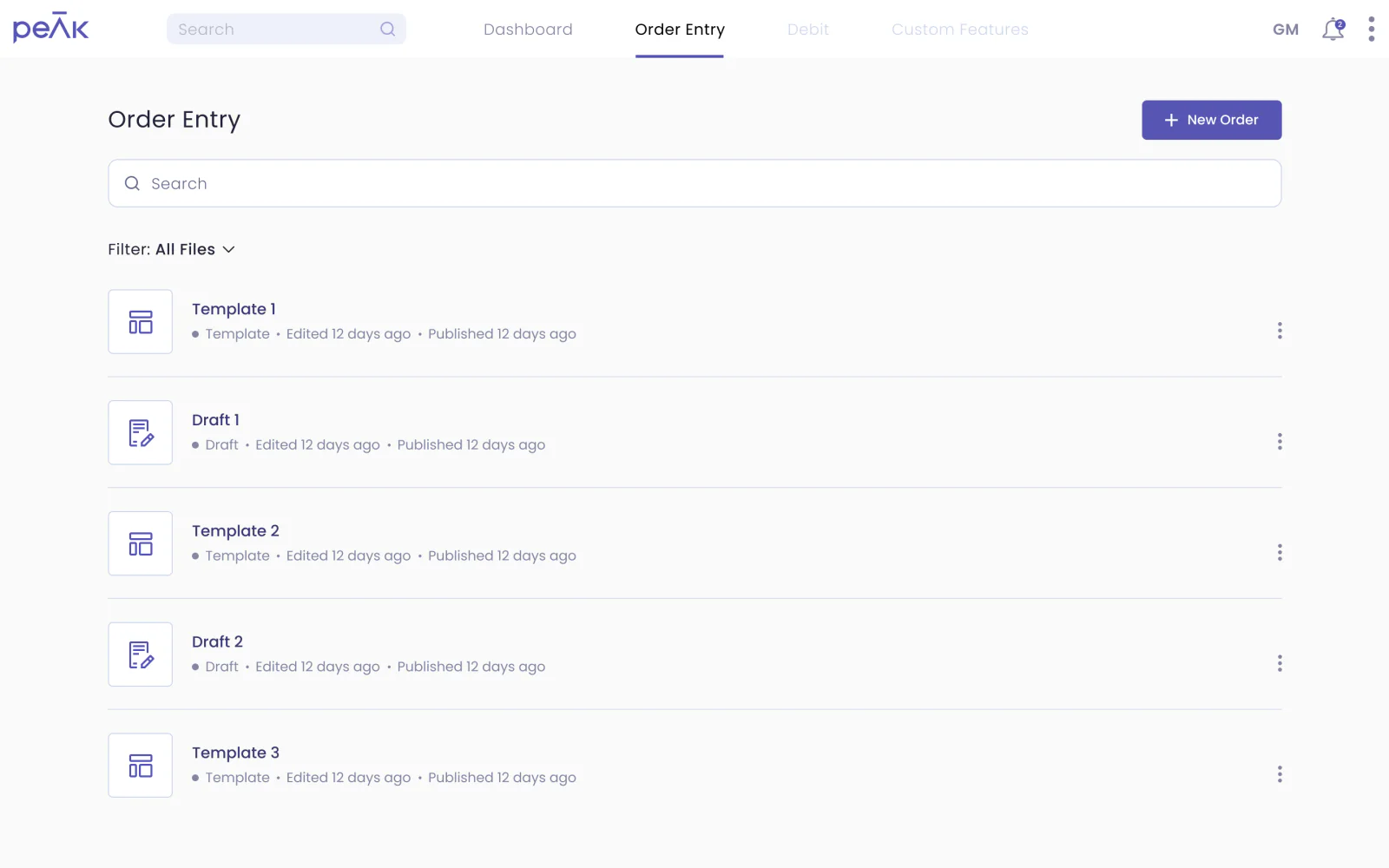
When users first open the Order Entry tab in PEAK, they land on a page that holds all of their templates and drafts. They can filter and search their templates and drafts, and switch between a list and a thumbnail view.
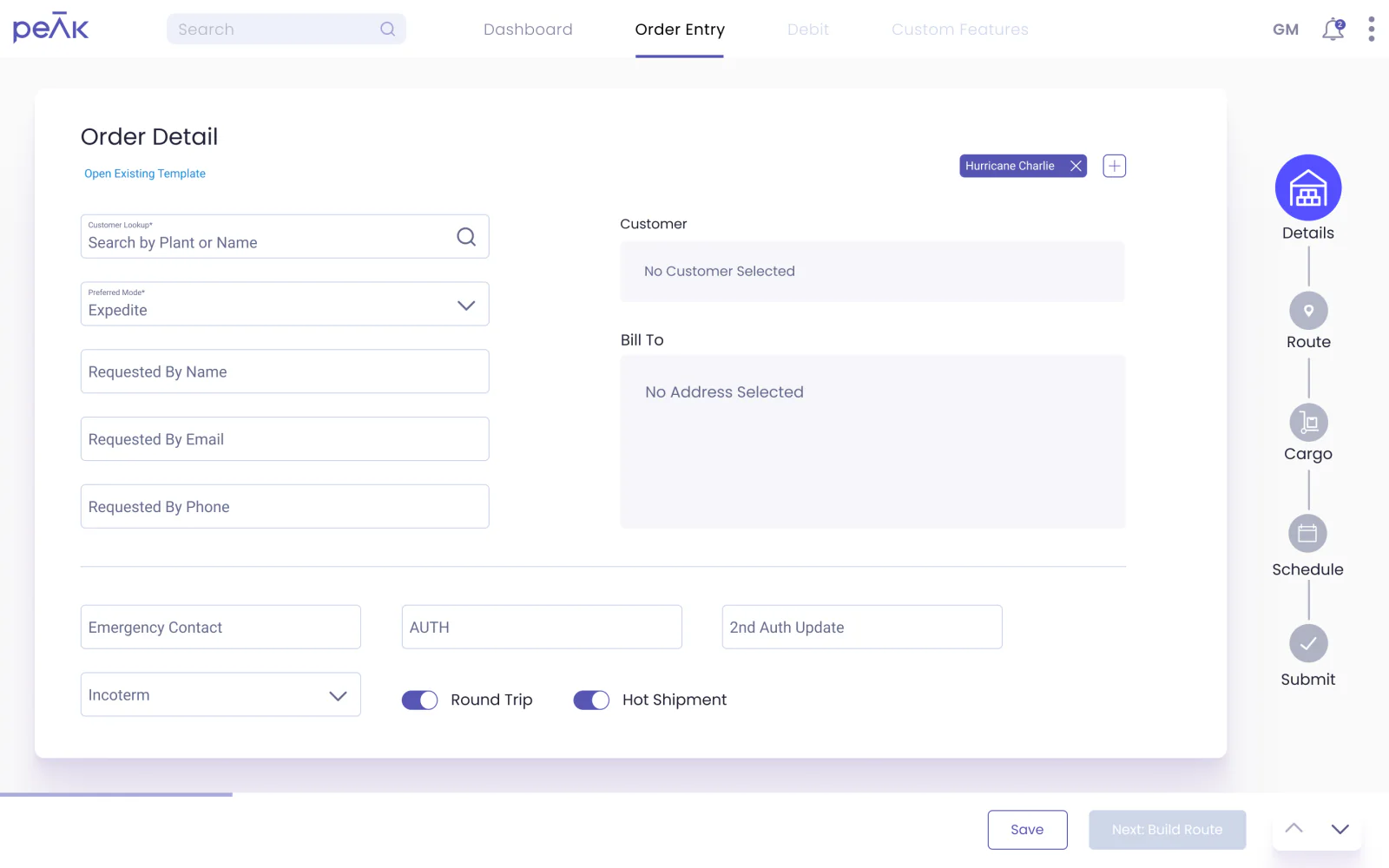
The first step in the flow. The user fills out the customer and billing information, can tag the order, and can mark it as a hot or recurring shipment. At any point in the flow, an order can be saved as a draft.
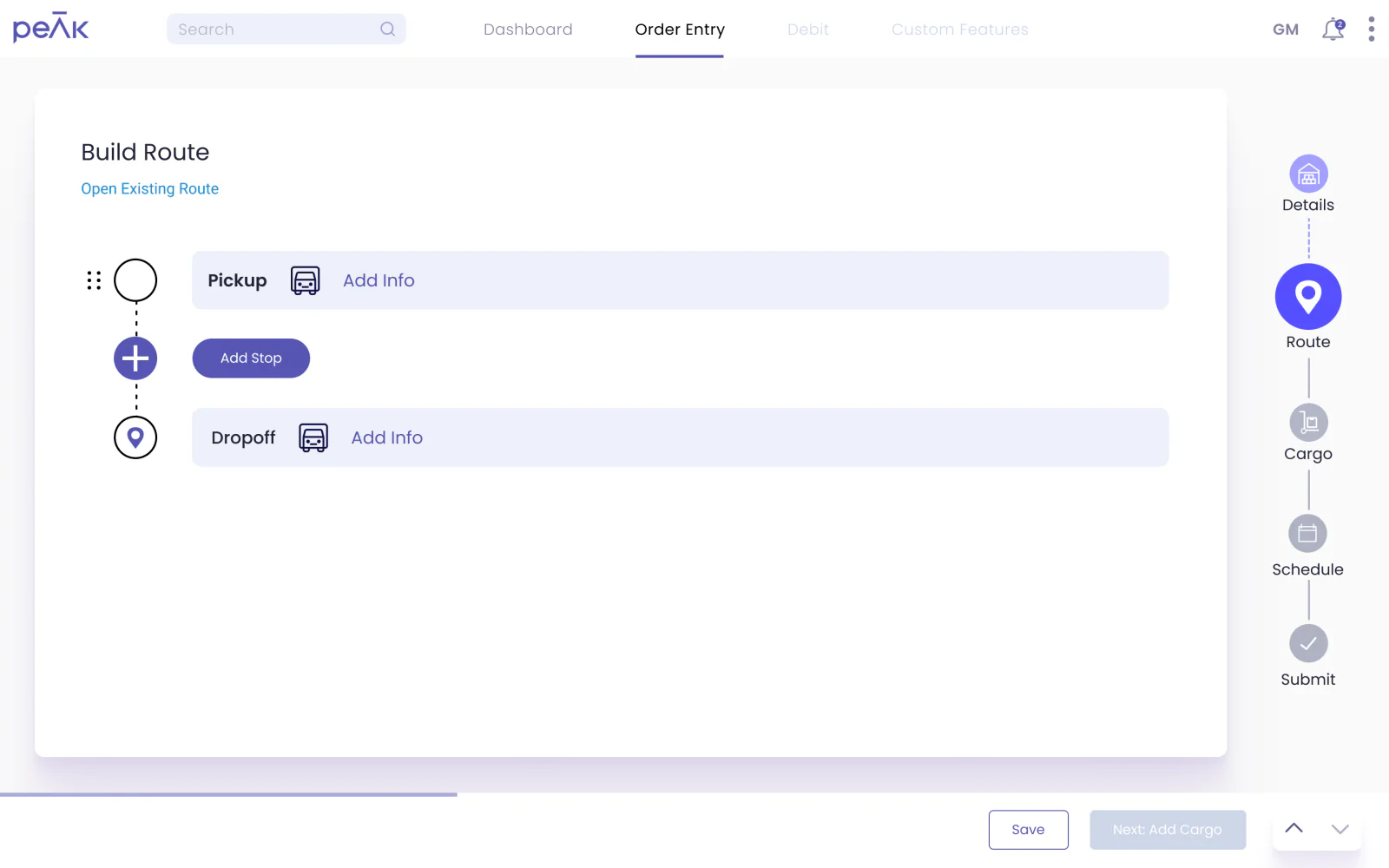
With the visual builder, a user can add any number of pickup and dropoff stops. A stop’s information goes into the modal after pressing Add Stop, then it’s saved to the builder screen, which also calculates the total miles.
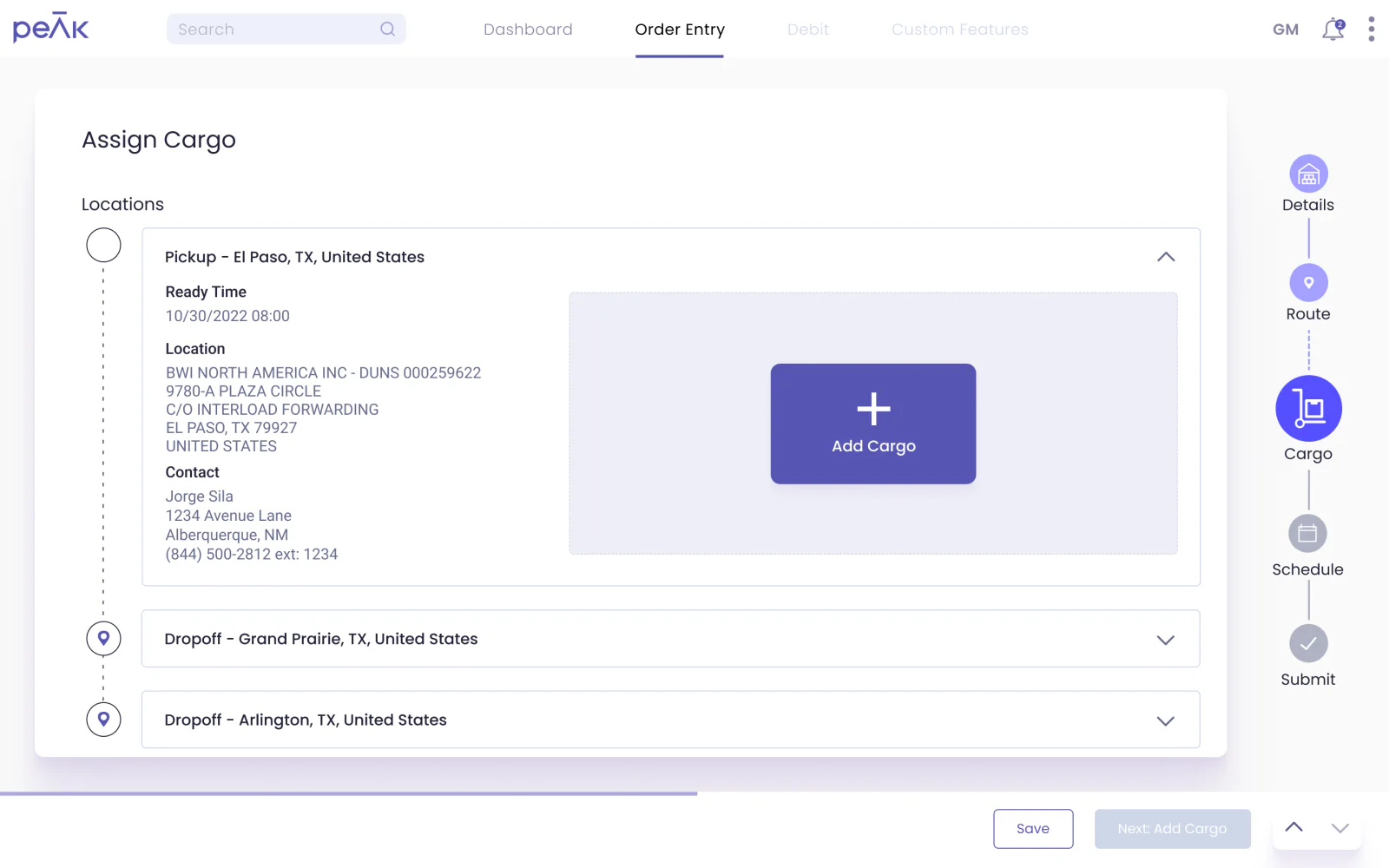
The cargo step lets users add cargo to specific pickup and dropoff stops. They can also add parts to the selected cargo: look up the part number, enter the amount, and add it.
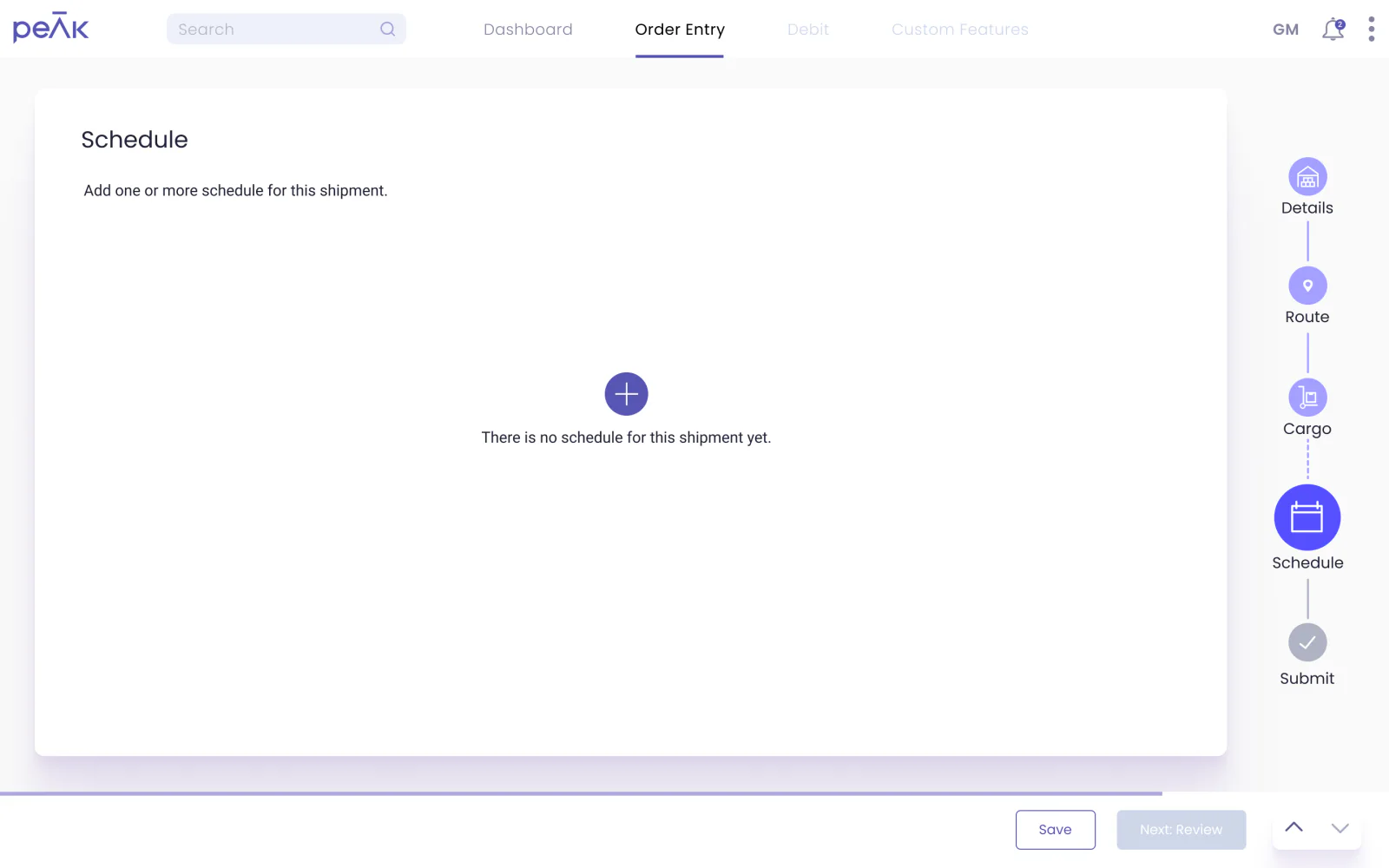
Users can create schedule automations for when an order should run. One order can have several schedules, each with its own frequency.
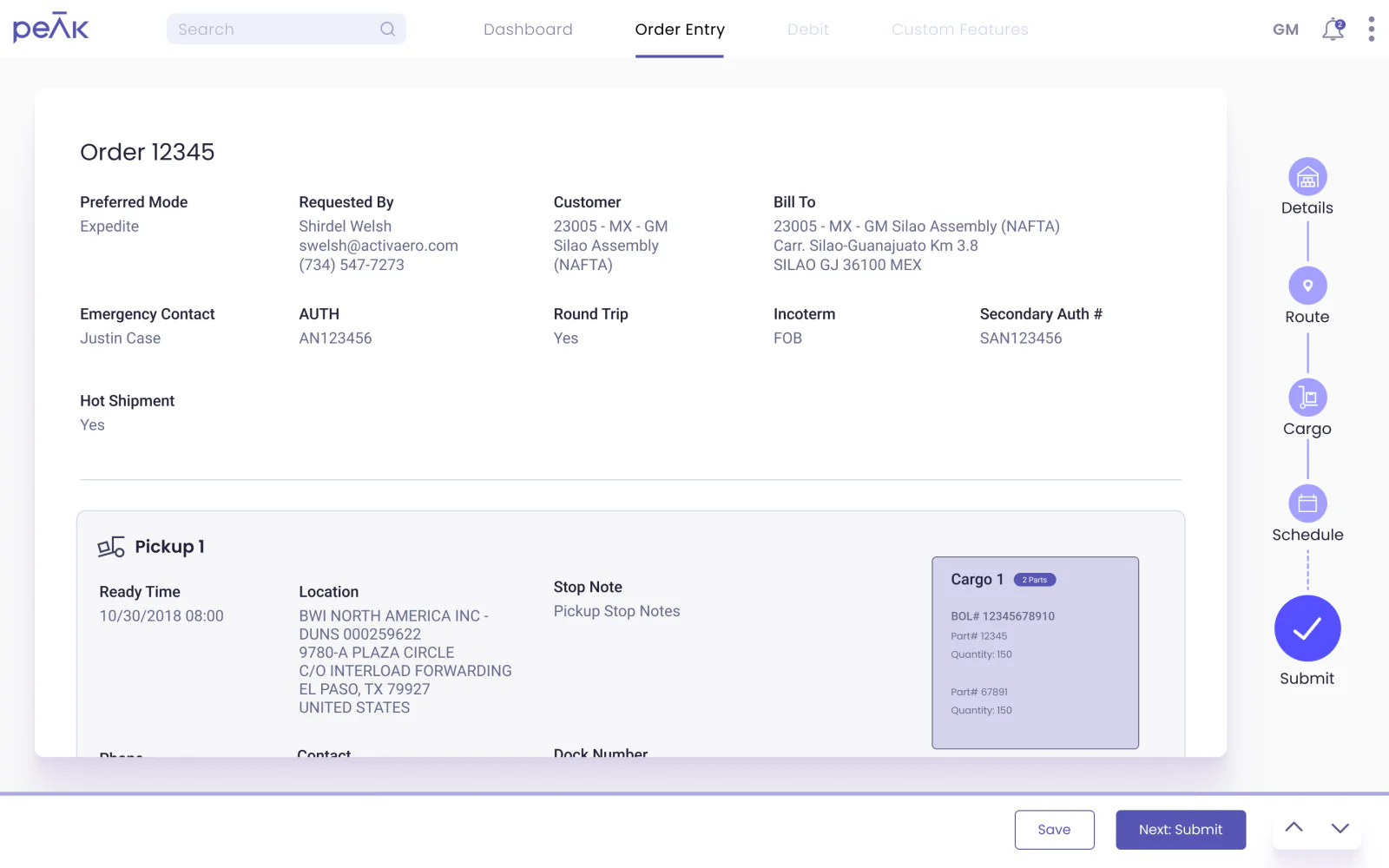
The last step is a review page: a scrollable summary of everything entered for the order. Users can add email alerts here too. Once the order is submitted, they can view it, start a new order, or save it as a template.
Measured against the legacy tool, the redesign made orders faster, more pleasant and less error-prone:
Reflection
The revamped Order Entry became a pivotal part of PEAK: more efficient, faster to complete, and a better experience overall.
Bringing design thinking and a proper UX methodology to the platform streamlined ordering for external and internal users alike.
User feedback and usability testing refined Order Entry’s design and functionality into an intuitive flow that resonated with customers and internal users.
Product managers, BAs, designers and developers working together made for an agile approach: rapid iteration, and continuous improvement as feedback and requirements evolved.

